 Encoric
TikTok carousel app for Windows
Encoric makes photo carousels from posts that already worked, checks every slide and holds each post until you approve it. It runs on your PC with your own Claude Code or Codex.
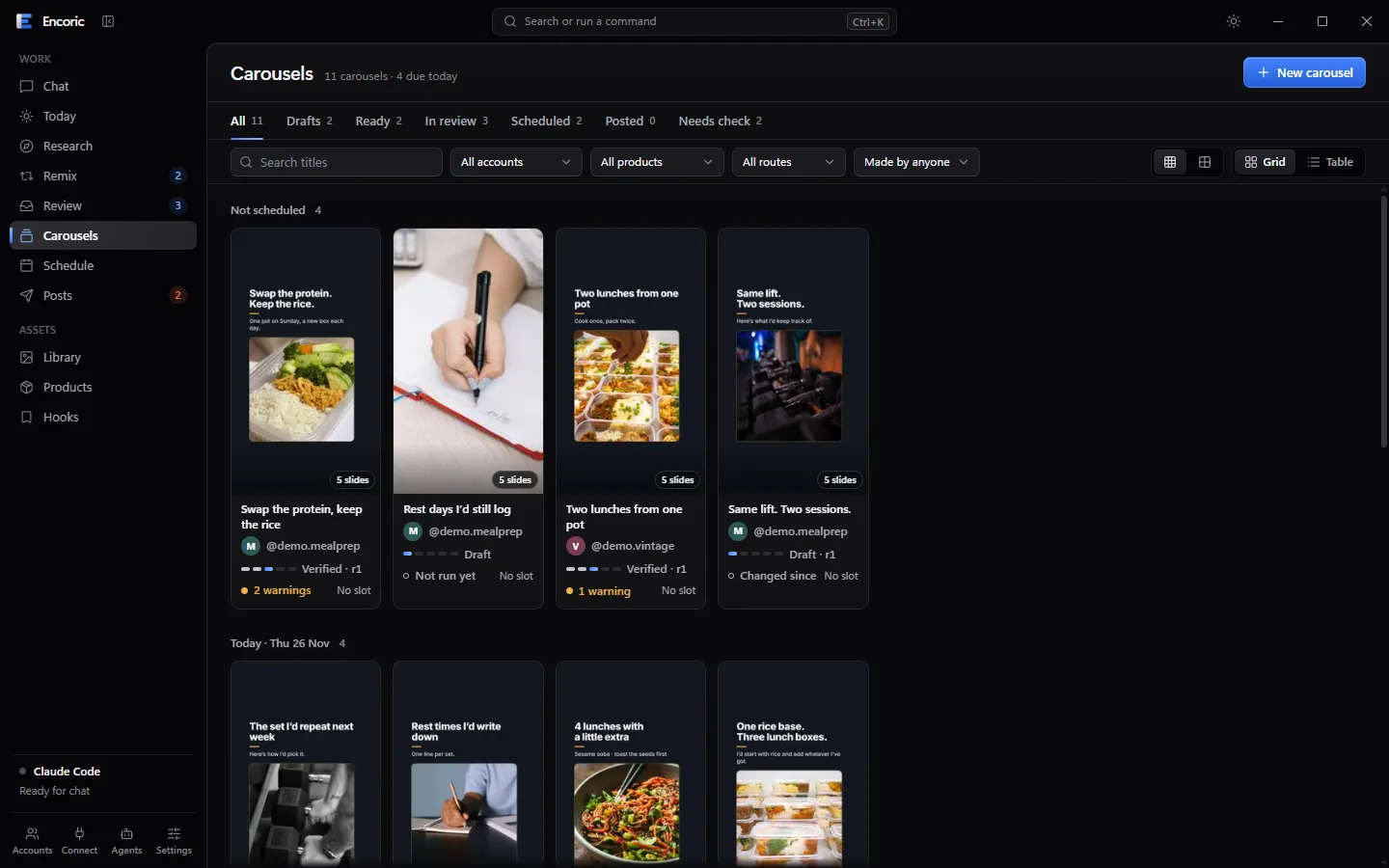
Start a carousel from a post that worked
Paste a TikTok link or search a topic. Encoric keeps the post's structure and slide order, adapts the words to your product and replaces every photo.
- Where the post came from stays on record: handle, link and date seen.
- New photos come from Pinterest, an AI image or your own library.
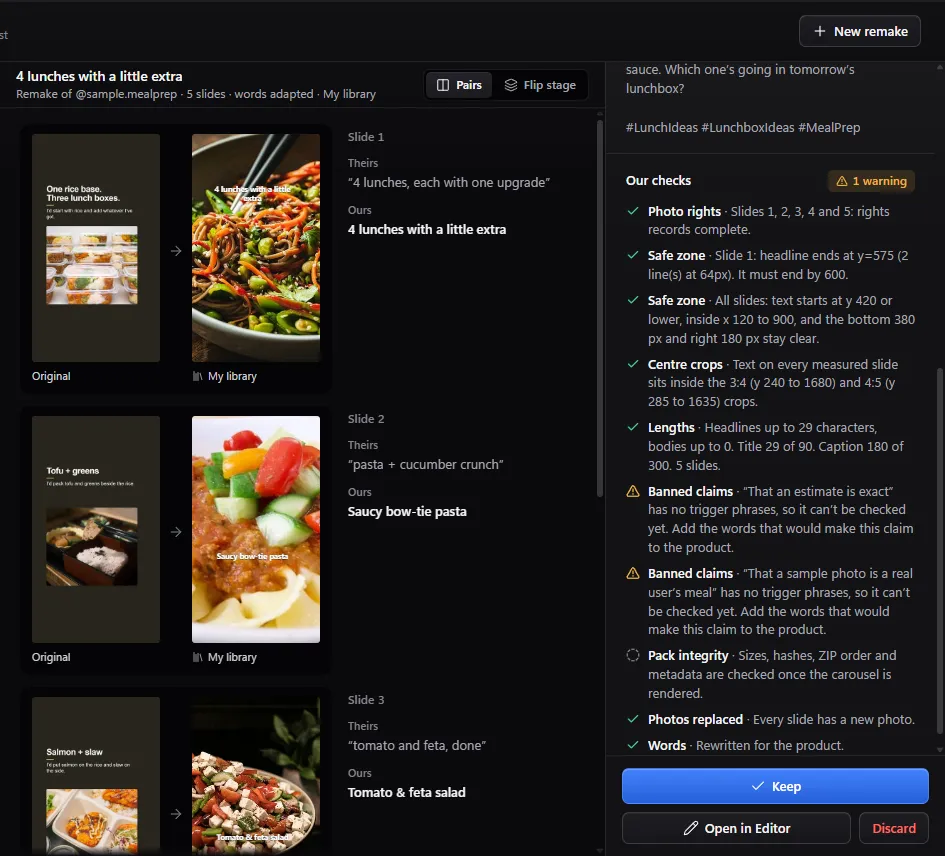
Every carousel slide is checked before posting
Safe zones, centre crops, photo rights, banned claims and text lengths are measured. A failed check says what to change.
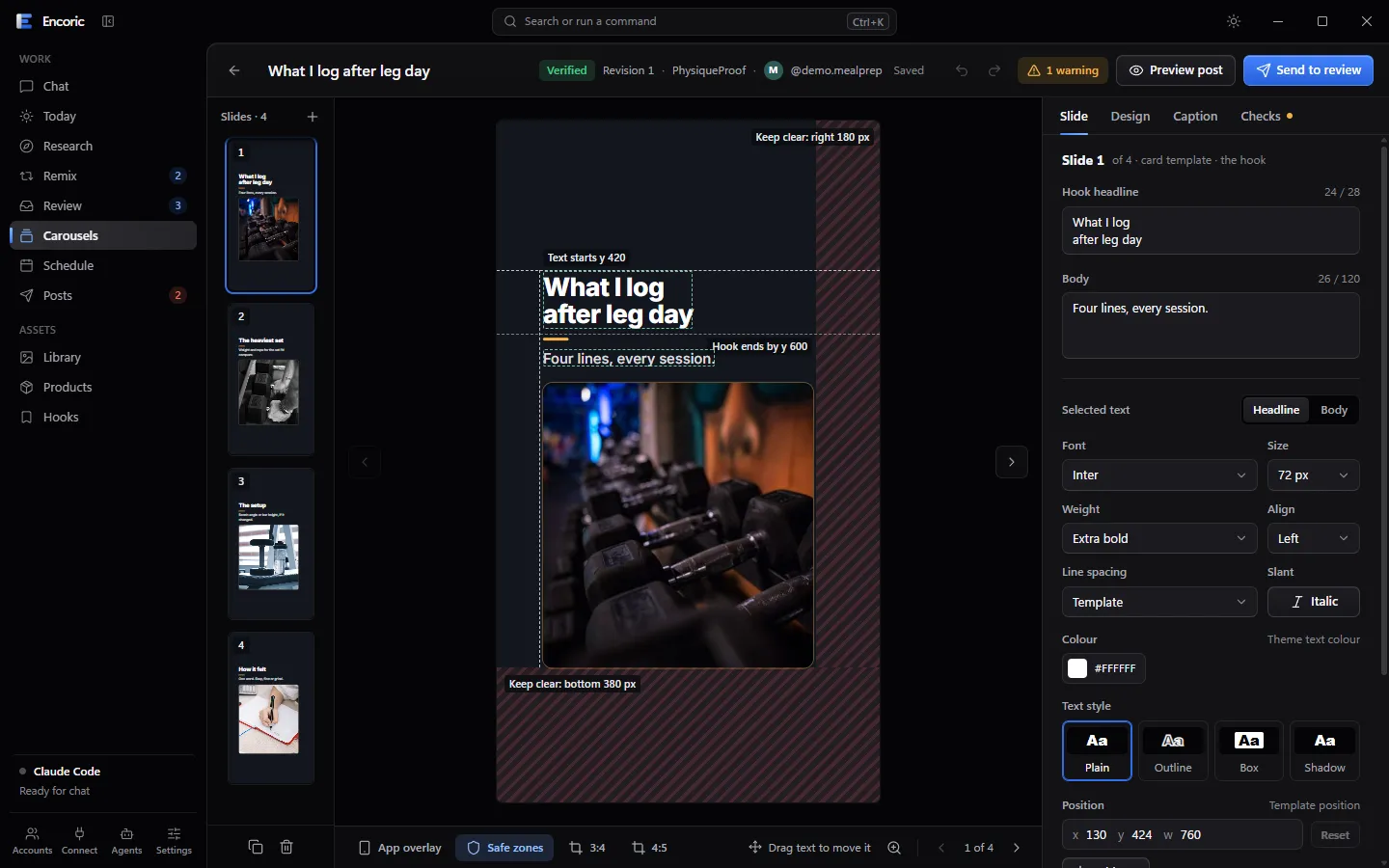
Nothing leaves Encoric until you approve it
Each account has an approval rule that only you set. By default every post waits in Review, where you approve it, request changes or reject it. A post sent through TikTok's API always needs your consent. Agents have no tool that publishes.
Encoric doesn't post to TikTok for you. An approved post is checked and held: you upload its slides in TikTok yourself, then mark it posted.
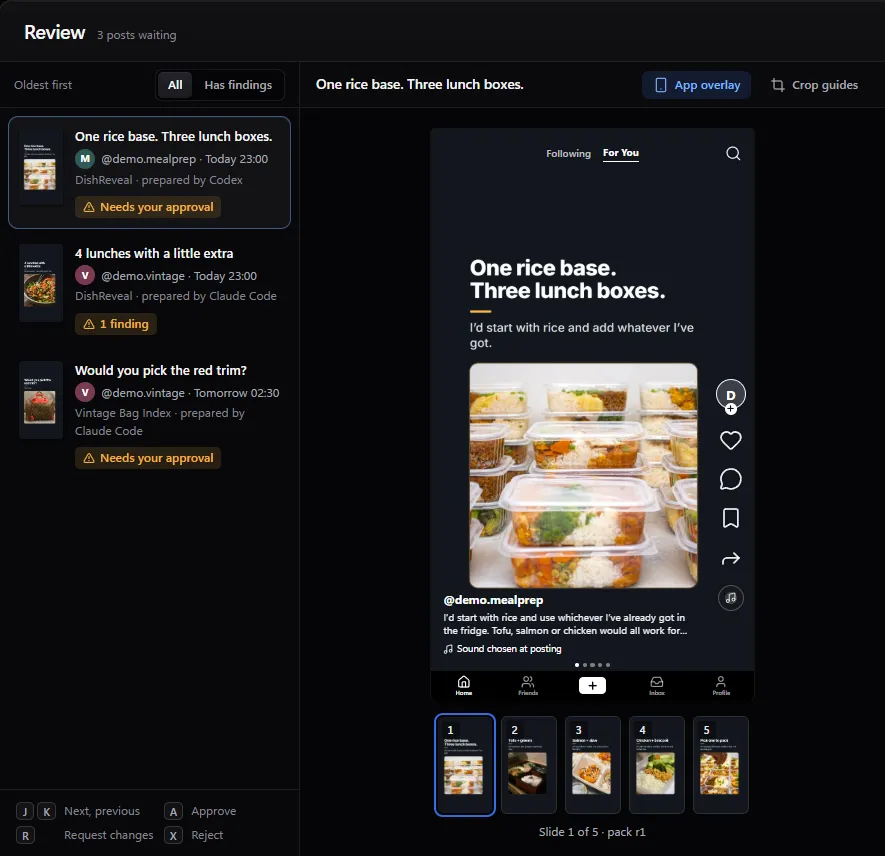
Runs on your own agent
Encoric has no AI of its own. Your Claude Code or Codex does the work through Encoric's tools, on your own subscription.
 Claude Code
 Codex
Connect Claude Code or Codex to Encoric
Copy one setup line into your agent. It talks to a server Encoric runs on your PC at 127.0.0.1, and every call shows in Activity.
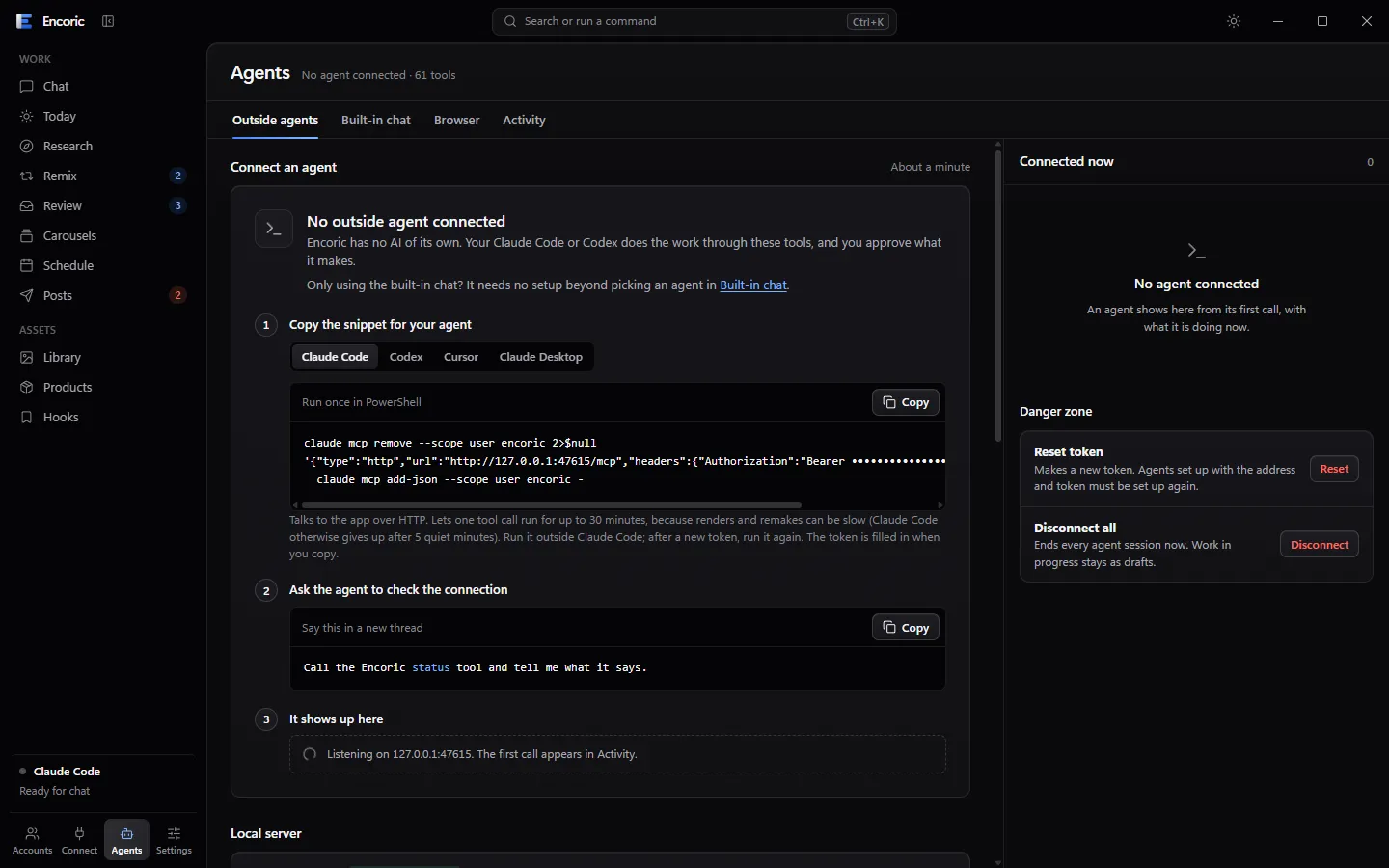
Encoric keeps your work on your PC
Drafts, photos and settings live in one data folder, Documents\Encoric unless you move it. Keys and tokens are kept in Windows Credential Manager. Encoric contacts only the services you connect.
Encoric is a one-off licence, not a subscription
Pay once for a licence key. Prices are in US dollars and include any tax. At checkout, Stripe may convert the price to your local currency.
- No free trial. Email hello@encoric.com within 14 days of buying for a full refund.
- Stripe handles the payment and is the seller of record. At checkout the purchase is shown as "Sold through Link", and the charge appears on your card or bank statement as
LINK.COM* ENCORIC. - Download Encoric for Windows 10 or 11, 64-bit. It needs a licence key to work.
- Lost your key? Have it sent again to the address you bought with.
Encoric licence First 50 licences
US$99 once
Then US$149 per licence after the first 50.
Buy Encoric for US$99- Your licence key is emailed from hello@encoric.com to the address you use at checkout.
- The app checks the key on your own computer. Each time it starts, and once a day while it runs, it also downloads a list of refunded licences, without sending your key or email address.
- Every update to Encoric is included.
- A full refund if you ask within 14 days.
Questions about Encoric
Anything else: hello@encoric.com
Can I download Encoric?
Yes. The installer is on the download page, for Windows 10 or 11, 64-bit. Encoric needs a licence key to work, which is emailed to you when you buy a licence.
Why does Windows warn me about the installer?
The installer isn't code-signed yet, so the first time you run it Windows shows a "Windows protected your PC" notice. Choose More info, then Run anyway. The download page explains it.
How much does Encoric cost?
US$99 for the first 50 licences, then US$149. It's a one-off licence, not a subscription. Prices are in US dollars and include any tax. At checkout, Stripe may convert the price to your local currency.
Is there a free trial?
No. If Encoric isn't right for you, email hello@encoric.com within 14 days of buying and you get a full refund.
Does Encoric post to TikTok?
No. Encoric doesn't post for you: an approved post is checked and held. You open its pack, upload the slides in TikTok yourself and mark it posted. Posting through TikTok's own API waits for TikTok's approval.
Do I need an AI subscription for Encoric?
Yes. Encoric has no AI of its own. It works with your own Claude Code or Codex, on your own plan.
What does Encoric run on?
Windows on a 64-bit (x64) PC.
Is there a Mac version of Encoric?
No. Encoric runs on Windows 10 or 11, 64-bit.
Where do Encoric's photos come from?
A remake never keeps the source post's photos. New ones come from a Pinterest search, an AI image made through Codex, or your own library, and every photo carries a rights check.
Who makes Encoric?
Kovus, run by Josh Waller in Perth, Western Australia. Encoric is not made by, endorsed by or affiliated with TikTok.